Automated Content Research: Build an Infinite Strategy Engine with n8n – 30 Days of n8n & Automation – Day 15

You know you need to publish content to grow your SaaS or agency. But staring at a blank Google Doc while frantically searching for “trending topics” or scrolling through Twitter is not a strategy. It is a recipe for burnout.
Most content marketers and founders spend 80% of their time researching and only 20% writing. They get stuck in analysis paralysis, trying to find the “perfect” keyword. What if you could flip that ratio?
Welcome to Day 15 of the 30 Days of n8n & Automation series. In our previous posts, we have automated social media distribution and client onboarding. Today, we are going upstream to the source. We are going to build a system for automated content research that delivers high-value topics, keywords, and competitor data directly to your dashboard while you sleep.
I’m Alfaz Mahmud Rizve, and at whoisalfaz.me, we believe research should be a system, not a scavenger hunt. Let’s build your infinite strategy engine.
Why Automated Content Research Wins Deals
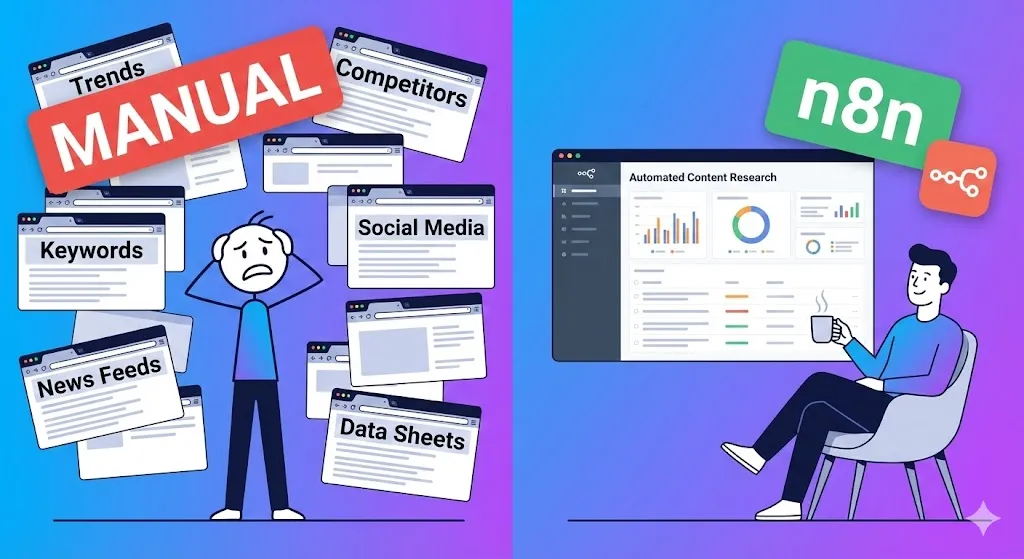
Manual research is slow, biased, and inconsistent. You might check Google Trends on Monday, forget on Tuesday because of a client fire, and spend three hours down a Reddit rabbit hole on Wednesday. This inconsistency kills momentum and leaves huge gaps in your content calendar.
Automated content research standardizes the intake of market intelligence. It ensures you never miss a trend because a robot is watching the market for you 24/7. It separates the gathering of ideas from the execution of ideas.
Alfaz Mahmud Rizve has seen agencies double their content output simply by removing the “what should we write about?” meeting from their weekly calendar. When you open your laptop on Monday morning, the ideas should already be there, sorted by potential impact and ready for production.
This workflow is perfect for:
- SaaS Founders: Monitoring feature requests, competitor changelogs, and industry complaints.
- Agencies: Generating endless topic lists for clients without billing manual research hours.
- SEO Strategists: Tracking keyword volume changes automatically without logging into Semrush daily.
The Architecture: n8n + NewsAPI + Sheets
To build this engine, we need three core components: a Trigger (Time), a Source (Data), and a Destination (Storage). We aren’t just dumping links; we are building a structured database of ideas.
The Stack
- n8n: The orchestrator handling the logic, filtering, and AI processing.
- NewsAPI / Google Trends API: The source of truth for what is trending in your niche.
- Google Sheets: The database where your team picks topics (we prefer Sheets over Notion here for easier raw data manipulation).
At whoisalfaz.me, we use this exact stack to track low-code automation trends before they hit the mainstream media. It allows us to pivot our content strategy in real-time.
Step 1: The “Wake Up” Trigger
We want this report ready before you log in. Consistency is the heartbeat of automated content research.
- Open your n8n editor canvas.
- Add a Schedule Trigger node.
- Set the Trigger Interval to
Days. - Set the time to
6:00 AM(or whenever you want the data ready).
By setting this to run daily, you remove willpower from the equation. You don’t “decide” to do research; the research happens to you.
Step 2: Fetching Intelligence via API
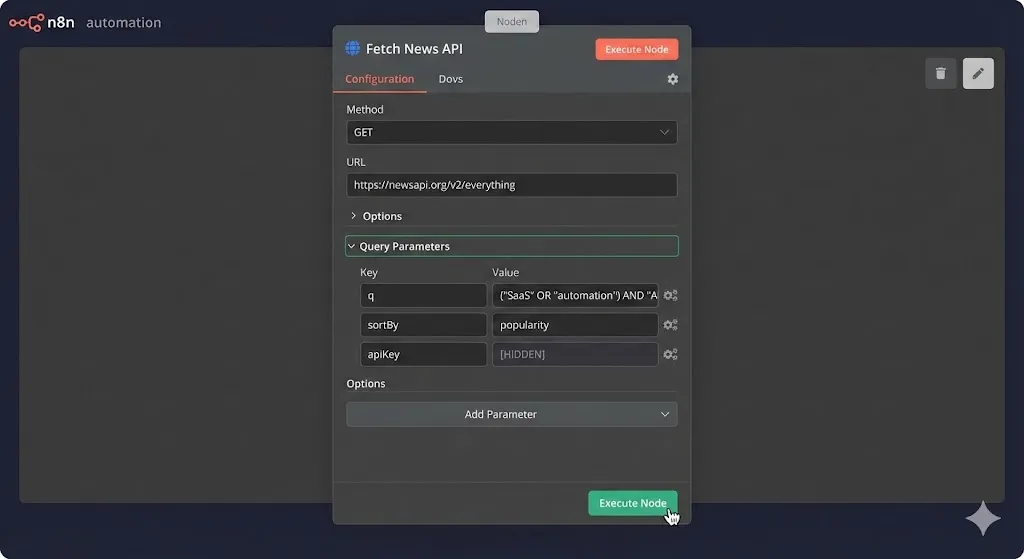
Now, let’s get the data. We will use an HTTP Request node to query an external API. For this tutorial, we will use NewsAPI.org as an example because it’s free for developers and easy to use, but you can swap this for the Google Trends API via RapidAPI or a keyword tool API.
Configuration for HTTP Request Node:
- Method:
GET - URL:
https://newsapi.org/v2/everything - Authentication: Header Auth (or Query Parameter depending on the API).
- Query Parameters:
q:("SaaS marketing" OR "automation") AND "AI"(Use boolean logic to get specific).sortBy:popularity(We want high-impact news).language:enapiKey:[YOUR_API_KEY]
Alfaz Mahmud Rizve’s Pro Tip: Be specific with your query. Broad keywords like “Business” return noise. Specific keywords like "churn reduction" OR "customer retention" return actionable insights.
Here is what the JSON output usually looks like:
JSON
{
  "status": "ok",
  "totalResults": 124,
  "articles": [
    {
      "source": { "name": "TechCrunch" },
      "author": "Tech Writer",
      "title": "The Future of AI in 2026: What SaaS Founders Need to Know",
      "description": "As automation takes over, founders must pivot...",
      "url": "https://techcrunch.com/...",
      "publishedAt": "2026-01-03T10:00:00Z"
    }
  ]
}
If you see this green output, you have successfully pulled raw intelligence from the web.
Step 3: Cleaning and Deduplication
Raw data is messy. If you just dump 100 API results into a spreadsheet every day, you will hate using it. It will become a graveyard of links. We need to clean it up.
Splitting the Item Lists
The API gives us a nested list (an array) of articles inside the articles object. n8n processes items, so we need to split this array.
- Add a Split Out node (formerly Item Lists).
- Field to Split Out:
articles
Now, instead of 1 item with 100 articles, you have 100 items.
The Deduplication Logic
You don’t want to see the same article today that you saw yesterday. This is a common mistake beginners make.
- Use a Google Sheets node (Read) to pull your existing list of URLs from your “Content Bank” sheet.
- Use a Merge node.
- Mode:
Remove Key Matches - Input 1: Your new API data.
- Input 2: Your existing Sheet data.
- Property to Compare:
url
- Mode:
- Result: Only articles with URLs that do not exist in your sheet will pass through.
This logic is critical. It ensures your automated content research dashboard remains a source of fresh inspiration, not stale news.
Step 4: AI Enrichment (The Secret Sauce)
Here is where we add the real value. A list of links is okay, but a list of angles is better. We don’t just want to know what is trending; we want to know how to write about it.
Add a Google Gemini or OpenAI node after your Merge node. We are going to process each new article through an LLM.
The Prompt to use:
“I found a trending article titled ‘{{$json.title}}’ with this description: ‘{{$json.description}}’.
Please act as a SaaS Content Strategist.
- Generate 3 catchy blog post titles targeting SaaS founders based on this news.
- Write a brief 5-bullet point outline for a reaction post.
- Assign a ‘Virality Score’ from 1-10 based on relevance to the B2B market.”
Map the Output:
Use the Edit Fields (Set) node to clean up the AI response into separate fields:
AI TitlesOutlineVirality Score
At whoisalfaz.me, this step saves us about 30 minutes of brainstorming per article. We don’t start from zero; we start from a structured first draft.
Step 5: The Final Dump to Google Sheets
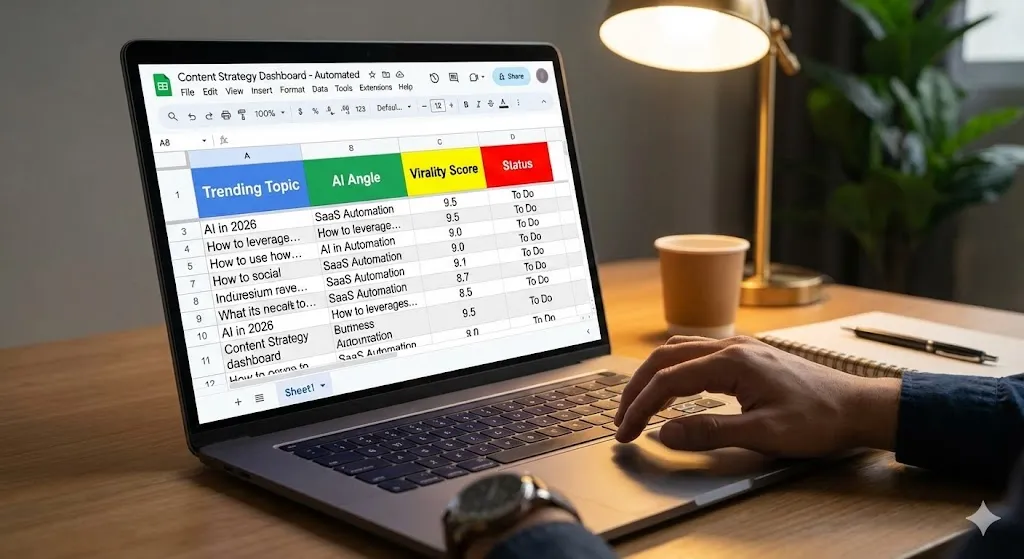
Finally, map the enriched data to your Google Sheet. Your sheet headers should look like this:
| Date Fetched | Original Headline | Source | Virality Score | AI Suggested Angles | Outline | Status |
| Jan 03 | AI Trends 2026… | TechCrunch | 9/10 | 1. How to survive… | – Point 1… | To Do |
Alfaz Mahmud Rizve’s Rule: Always include a “Status” column with a dropdown menu (To Do, Ignored, In Progress). This turns your research sheet into a production Kanban board.
Common Pitfalls and How to Avoid Them
Even with a robust system, things can break. Here is what I advise you to watch out for:
- API Rate Limits: Don’t run this every 5 minutes. You will burn through your free API tier. Once a day (or every 12 hours) is sufficient for automated content research.
- Ignoring Search Intent: Just because a topic is trending on the news doesn’t mean it has SEO search volume. Always verify your high-score topics with a tool like Ahrefs or Ubersuggest manually before writing the full post.
- Formatting Issues: APIs often return dates in ISO format (e.g.,
2026-01-03T14:00:00.000Z). Use n8n’s Date & Time node to format them into a readableJan 03, 2026format so your sheet stays clean.
Checklist: Build Your Research Engine
Ready to stop guessing and start strategizing? Here is your action plan for today.
- [ ] Select Your Source: Sign up for NewsAPI or subscribe to a RapidAPI plan for Google Trends.
- [ ] Prepare the Sheet: Create a new Google Sheet with the headers listed in Step 5.
- [ ] Set the Schedule: Configure the n8n Trigger for 6:00 AM daily.
- [ ] Connect the API: Use the HTTP Request node to pull data.
- [ ] Deduplicate: Implement the Merge node logic to block existing URLs.
- [ ] Enrich with AI: Connect your LLM to generate titles and outlines.
- [ ] Test Run: Click “Execute Workflow” and watch your sheet fill up with magic.
What’s Next?
You now have a system that feeds you high-value topics every morning. You have moved from “guessing” to “strategizing.” This is the foundation of a scalable content machine.
In tomorrow’s post, Day 16, we will take this data-driven approach one step further. We will cover “Track keyword rankings automatically (ranking API → Google Sheets → weekly summary)”. I will show you how to monitor the performance of the content you create without paying for expensive SEO dashboards.
Don’t miss the next workflow. Subscribe to the 30 Days of n8n series at whoisalfaz.me and let’s automate your agency together.
See you in the next workflow!