Lead Enrichment with n8n: Build a Reliable Company, Website and Location Enrichment Workflow-30 Days of n8n & Automation – Day 11

If you are collecting leads but only storing name and email, you are leaving money on the table. Lead enrichment with n8n lets you automatically attach company, website, and location data the moment a lead enters your system.
In this Day 11 guide of 30 Days of n8n & Automation, you will learn how to call an enrichment API from n8n, map the response back to your CRM or Google Sheet, and ship a production-ready workflow.
Throughout this article, examples come from real workflows that Alfaz Mahmud Rizve uses for SaaS and agency clients at whoisalfaz.me.
Why lead enrichment with n8n matters
When leads arrive with only an email address, sales teams waste time researching basics like company size, website, and city. Automated lead enrichment with n8n handles this grunt work in the background.
For SaaS founders and agencies, this means:
- Better routing (e.g., high-ARR accounts straight to senior reps).
- Smarter personalization in outbound and onboarding emails.
At whoisalfaz.me, Alfaz Mahmud Rizve treats enrichment as a baseline: no lead should enter a pipeline without at least company, website, and location attached.
What you will build (Day 11 workflow)
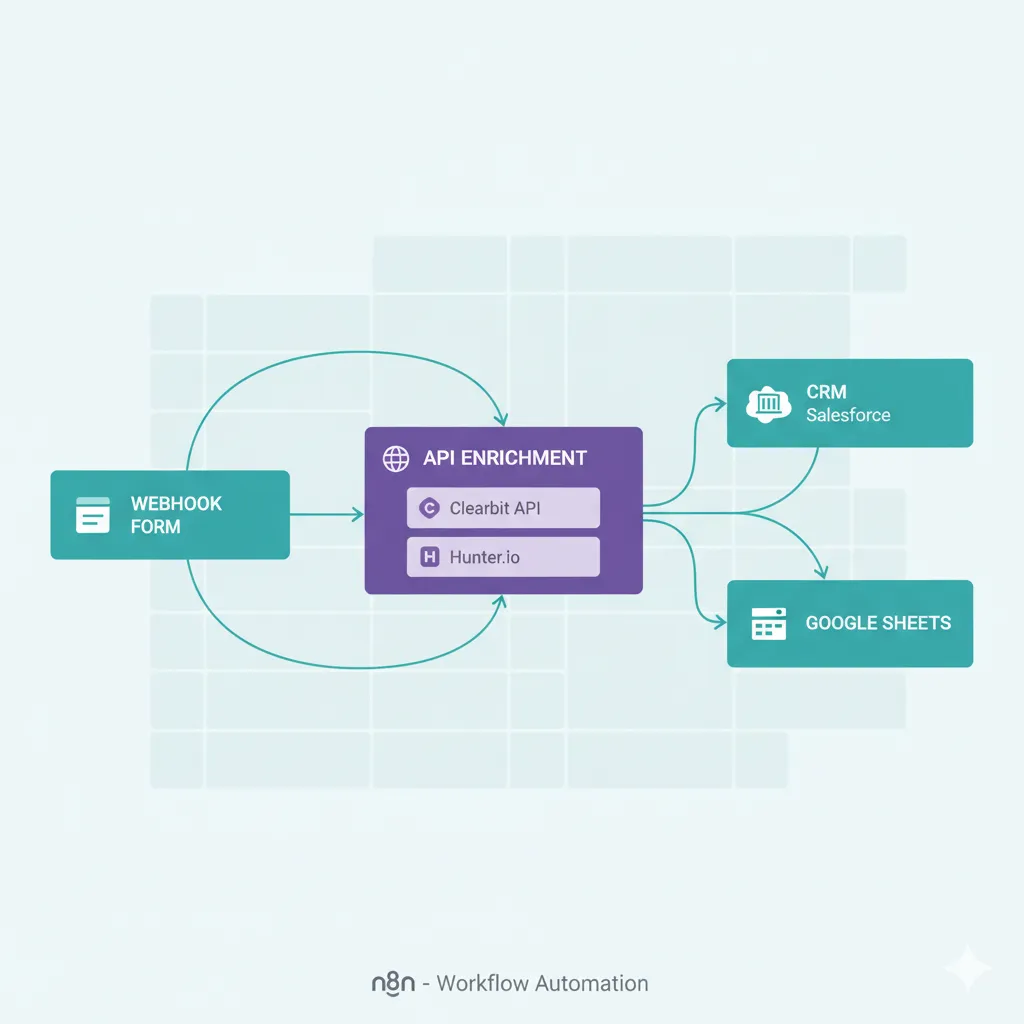
In this Day 11 entry of 30 Days of n8n & Automation, you will build a workflow that:
- Listens for new leads (from forms, imports, or a Google Sheet).
- Calls a lead enrichment API using the email or domain.
- Returns company name, website, and location fields.
- Writes the enriched data back into your CRM or spreadsheet.
By the end, you will have a reusable lead enrichment with n8n template that you can clone for multiple brands or clients.
Choosing the right enrichment API
You can use any enrichment provider that exposes a REST API and returns JSON.
Popular options include:
- Firmographic APIs (e.g., company size, industry, location, website).
- IP-based enrichment to turn anonymous traffic into company profiles.
When Alfaz Mahmud Rizve designs workflows at whoisalfaz.me, the selection process usually follows this rule:
- Start with one API that has a generous free tier.
- Confirm it supports your primary identifier (email, domain, or IP).
Even if you later swap providers, your lead enrichment with n8n structure can stay identical—only the HTTP Request configuration changes.
Core nodes you will use (building on Day 6)
Day 6 of this series already covered the essential n8n core nodes like HTTP Request, Set, Merge, and Code.
In this lead enrichment with n8n workflow, you will primarily use:
- Trigger node (Webhook, Google Sheets, or CRM trigger).
- HTTP Request to call the enrichment API.
- Set to clean and normalize fields (company, website, location).
- If to handle missing or failed enrichments.
- Optional Code node for tiny transformations or fallbacks.
This structure is almost identical to production workflows Alfaz Mahmud Rizve uses for client lead pipelines at whoisalfaz.me.
Step-by-step: basic lead enrichment with n8n
This section walks through a minimal yet production-ready lead enrichment with n8n workflow where input and output live in Google Sheets.
1. Prepare your input sheet
Create a Google Sheet with columns like:
- first_name
- last_name
- company_input (optional)
- domain_input (optional)
- enriched_company
- enriched_website
- enriched_city
- enriched_country
A sample “Enrich Company Data in Google Sheets” setup is documented in n8n’s official workflows, where the enrichment API fills revenue, employee count, and location fields.
At whoisalfaz.me, Alfaz Mahmud Rizve often also adds a status column (“pending”, “enriched”, “failed”) to keep tracking clean for agencies managing many leads.
2. Trigger: Google Sheets or Webhook
Use one of two patterns for lead enrichment with n8n:
- Google Sheets trigger: fires when a new row is added or updated.
- Webhook trigger: form tools (Typeform, HubSpot, Webflow, etc.) call n8n when a lead submits.
For non-technical teams, the Google Sheets trigger is easiest, while SaaS products usually prefer a webhook-based approach.
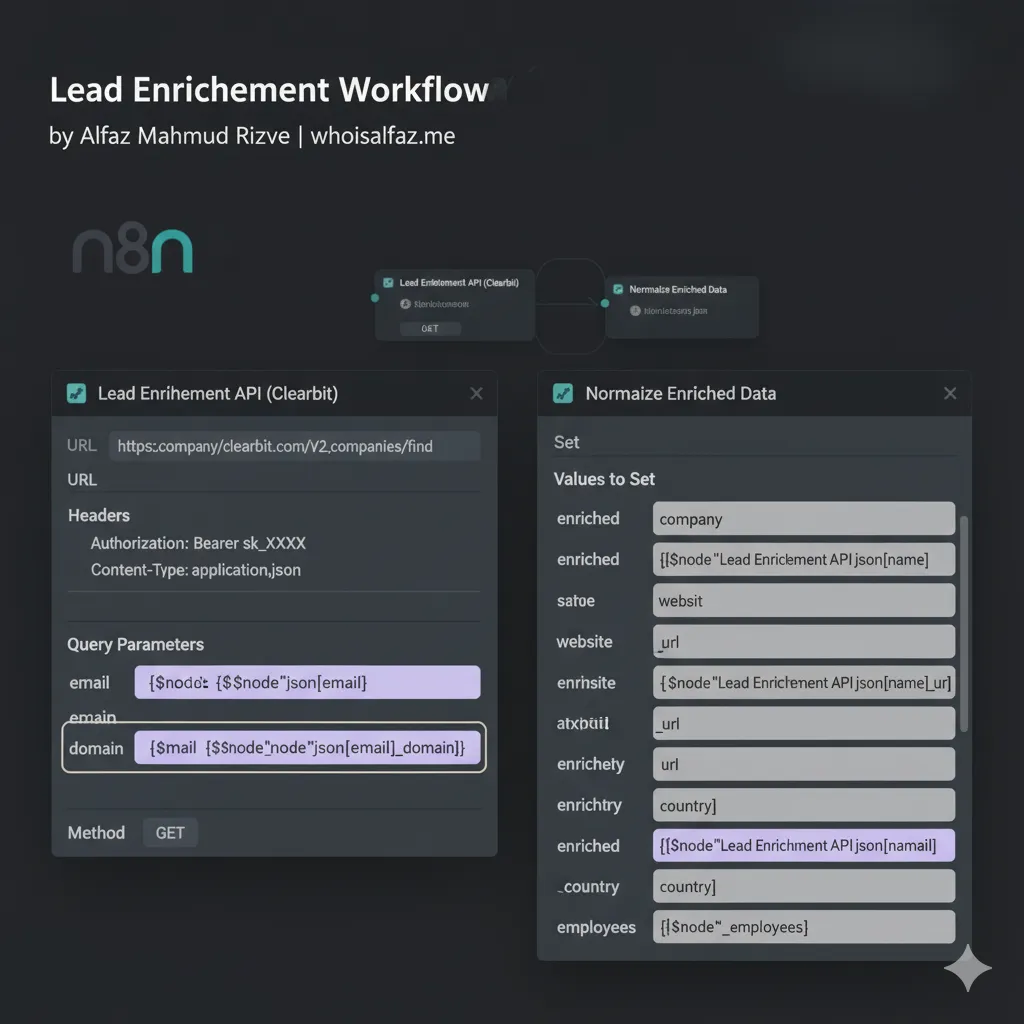
3. Build the HTTP Request node
Add an HTTP Request node and configure it roughly like this:
- Method:
GETorPOST(depends on your API). - URL: provider endpoint, for example a “match & enrich” or “company enrich” URL.
- Authentication: API Key in Header (
Authorization: Bearer YOUR_API_KEY). - Query/body parameters: pass email or domain from the incoming item.
Many APIs return fields like company_name, website, location_city_name, and country.
Once the node works for one sample lead, Alfaz Mahmud Rizve recommends saving these settings in an n8n credential to reuse them across multiple lead enrichment with n8n workflows.
Example JSON mapping (pseudo)
json{
  "email": "test@example.com",
  "company": "Example Inc",
  "website": "https://example.com",
  "location": {
    "city": "San Francisco",
    "country": "United States"
  }
}
This structure matches common enrichment responses where company, website, and location are grouped in a single payload.
4. Normalize data with Set (and optional Code)
After the HTTP Request node, add a Set node to map API fields into clean property names:
enriched_company←company_nameenriched_website←websiteenriched_city←location_city_nameenriched_country←location_country_name
In Day 6’s core node article, using Set earlier made workflows cleaner and easier to debug, and that pattern applies strongly in lead enrichment with n8n.
Optionally, add a small Code node to:
- Force lowercase domains.
- Strip tracking parameters from URLs.
- Combine
city+countryintolocation_label.
n8n’s documentation shows how code nodes are often just a few lines of JavaScript, even for AI-driven enrichment patterns.
5. Write enriched data back
Finally, send the enriched fields to your storage:
- Google Sheets “Update” node to fill the enrichment columns.
- CRM nodes (HubSpot, Pipedrive, Salesforce) to update contact/company records.
Official n8n workflow examples often use domain as a unique key to match rows and update only specific columns (like revenue, employees, and location).
For SaaS and agencies, Alfaz Mahmud Rizve suggests always writing a last_enriched_at timestamp to help you later manage retries or changes in provider quality at whoisalfaz.me.
Handling failures and avoiding API waste
Raw lead enrichment with n8n is not enough; you must handle:
- Missing data.
- Rate limits.
- Expensive calls on repeated leads.
Use If nodes for basic branching
Insert an If node just after HTTP Request to check whether the API returned a valid company.
For example:
- If
company_nameexists → go to Set and write out. - Else → mark as
status: "no_match"and skip writing enrichment.
This simple branching pattern appears in many n8n templates, especially those doing multi-step enrichment or scraping.
Add simple caching
To avoid repeated calls, lead enrichment with n8n workflows often:
- Store enriched data in a sheet or database keyed by domain.
- Check “Do we already know this domain?” before calling the enrichment API.
Community workflows show how using a separate “cache” sheet or table significantly reduces cost while keeping enrichment fresh.
At whoisalfaz.me, Alfaz Mahmud Rizve uses a habit: “Never enrich the same domain more than once in 24 hours unless debugging.”
Real-world example: from form submission to enriched lead
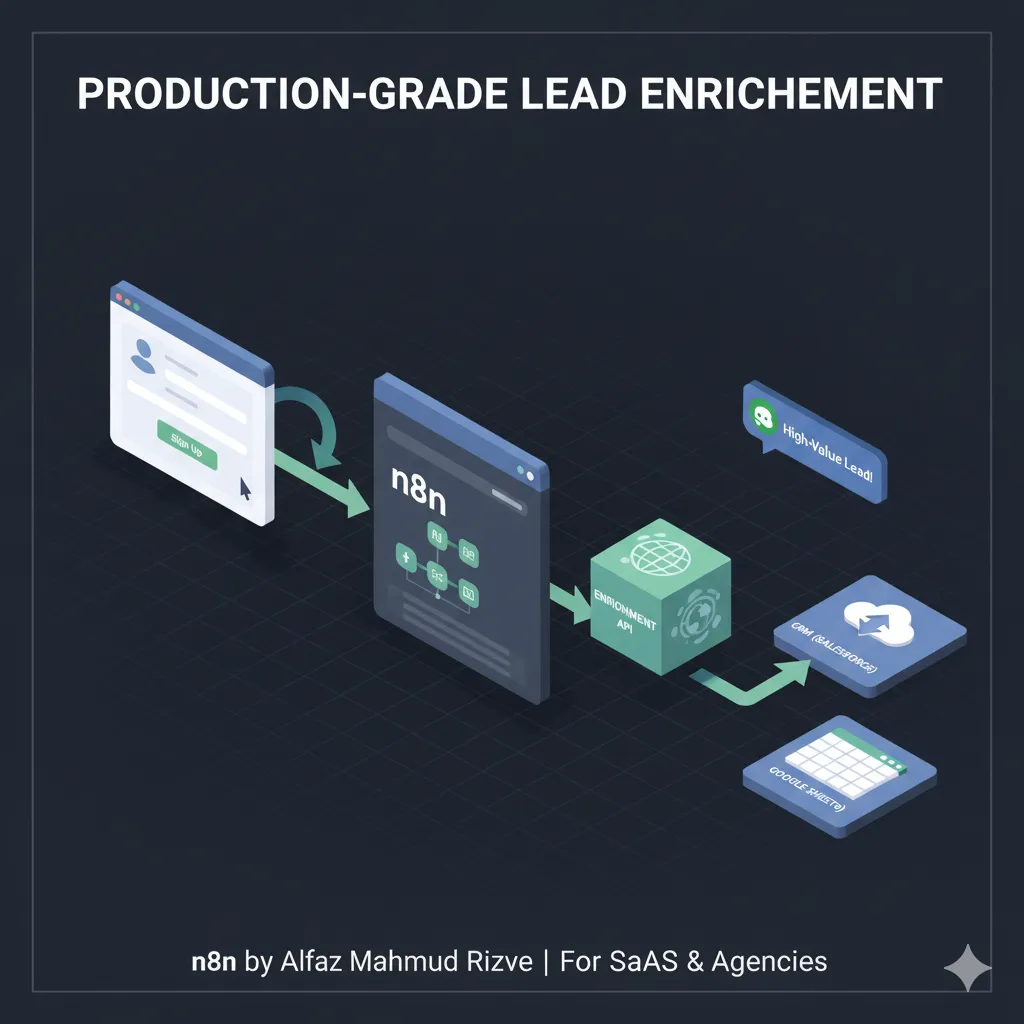
Here is how a full production lead enrichment with n8n pipeline might look for a SaaS free-trial signup.
- Webhook trigger receives form data (name, email, company field).
- HTTP Request node sends email/domain to enrichment API.
- If node checks if the enrichment succeeded.
- Set node normalizes fields into
company,website,city,country. - CRM node creates or updates a contact and attaches enriched company data.
- Email/Slack notification sends the enriched snapshot to the sales team.
n8n’s lead-generation examples show how this style of workflow can also include AI steps to score or classify the enriched lead before routing.
This end-to-end pattern is exactly what Alfaz Mahmud Rizve deploys for agencies that want qualified leads in their CRM instead of raw form submissions, and these are documented workflows at whoisalfaz.me.
Mistakes to avoid when enriching leads with n8n
There are a few classic traps that kill the ROI of lead enrichment with n8n:
- Calling the API too early: Enrich after you are sure the lead is valid (e.g., email verified).
- Ignoring rate limits: Most enrichment APIs enforce limits, and n8n workflows should respect these using built-in controls.
- Not mapping fields consistently: Inconsistent field names across workflows make downstream analytics painful.
Official workflow guides often recommend centralizing your enrichment fields (e.g., always company_name, website, location_city_name) to align multiple pipelines.
Alfaz Mahmud Rizve’s personal rule at whoisalfaz.me: “If a field is important enough to enrich, it is important enough to standardize.”
Reusable enrichment framework for SaaS & agencies
You can treat lead enrichment with n8n as a reusable pattern that always follows the same steps:
- Trigger: New or updated lead.
- Identifier: Decide on email, domain, or IP.
- Enrich: HTTP Request with standardized mapping.
- Validate: If node checks success and data quality.
- Persist: Update CRM, sheet, or database.
- Notify: Slack/email to sales if high-value.
n8n’s workflow library shows multiple enrichment templates that follow exactly this pattern, only swapping in different enrichment or scraping providers.
At whoisalfaz.me, Alfaz Mahmud Rizve encourages agencies to standardize this framework so that every new client gets the same reliable enrichment backbone with minimal setup time.
Checklist: ship your lead enrichment with n8n
Use this quick checklist before you call the workflow “done”:
- Defined a single identifier (email, domain, or IP) for enrichment.
- Configured a working HTTP Request node against your chosen API.
- Used Set to normalize
company,website, andlocationfields. - Added an If node for failed or empty responses.
- Updated storage (Google Sheets or CRM) with enriched fields.
- Implemented basic caching to avoid unnecessary repeated calls.
- Logged or notified high-value enriched leads for faster follow-up.
This checklist mirrors the production workflows that official n8n examples use for company enrichment and AI-assisted pipelines.
Building flows in n8n is powerful, but your automation is only as good as your data source. If you are tired of hitting API limits or getting bad data from standard providers, read my new guide on 5 Outstanding Ideas for B2B Lead Generation to see how AI Agents can replace manual API stitching
Series context
This article is part of the 30 Days of n8n & Automation series at whoisalfaz.me.
Earlier posts you should read next or reference inside your editor:
- Day 6’s guide on essential n8n core nodes shows how HTTP Request, Set, and If work, which are heavily used in lead enrichment with n8n.
- Other n8n automation posts at whoisalfaz.me (e.g., scraping and AI-assisted enrichment) layer nicely on top of the workflow you built today.
You can also explore the broader n8n automation category to see how Alfaz Mahmud Rizve applies similar patterns to AI workflows and multi-step lead pipelines.
If you enjoyed this Day 11 breakdown of lead enrichment with n8n, try implementing this workflow in your own n8n instance today and track how much manual research time you remove from your week.
Then, subscribe to the newsletter at whoisalfaz.me so you do not miss tomorrow’s Day 12 automation in the 30 Days of n8n & Automation series from Alfaz Mahmud Rizve