n8n Tips and Tricks – The “Speedrun Protocol” to Build Workflows 5x Faster – 30 days of n8n and automation – Day 19
Welcome back to Day 19 of 30 Days of n8n & Automation.
In Day 17, we discussed reliability—building systems that don’t crash.
In Day 18, we discussed privacy—ensuring you don’t leak client data.
Today, we talk about the one metric that directly impacts your bank account: Velocity.
If you run an automation agency or build SaaS backends, speed is your profit margin.
- If a workflow takes you 4 hours to build and you charge $500, your hourly rate is $125.
- If you can build that exact same workflow in 45 minutes, your hourly rate jumps to $666.
Most beginners treat n8n like a “Drag-and-Drop” tool. They drag every node. They manually type every variable. They wait for webhooks to fire. This is the “Amateur Path.”
Today, I am handing you my internal agency playbook: The Speedrun Protocol. These are the specific n8n tips and tricks I use to build complex, agency-grade systems in minutes, not hours.
Phase 1: The “No-Mouse” Philosophy (Keyboard Shortcuts)
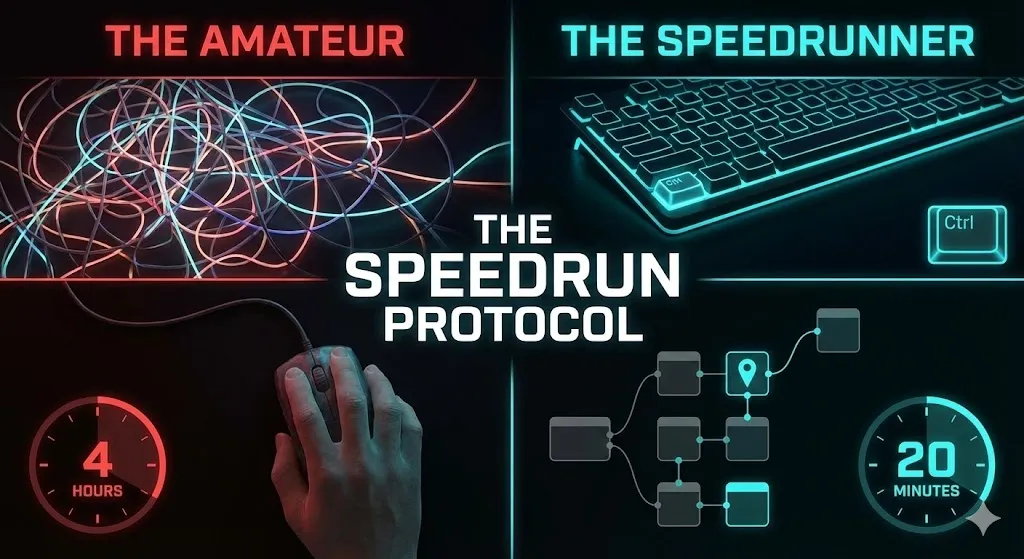
The first rule of the Speedrun Protocol is simple: The mouse is slow.
Every time you move your hand from the keyboard to the mouse, find the node menu, scroll, and drag, you lose 3-5 seconds. In a 50-node workflow, that adds up to 20 minutes of wasted “micro-movements.”
To master n8n tips and tricks, you must master the keyboard.
The “God Mode” Shortcuts
You probably know Ctrl+C and Ctrl+V. But do you know the chords that actually build logic?
| Shortcut | Action | The Agency Use Case |
Ctrl + Click | Multi-Select | Don’t move nodes one by one. Hold Ctrl, click 5 nodes, and drag the entire logic block to a new position. |
Shift + Drag | Box Select | Need to delete a whole section? Shift+Drag a box around 20 nodes and hit Delete. Instant cleanup. |
Ctrl + D | Duplicate | Never configure a node twice. If you have an “HTTP Request” set up with your Auth headers, click it and hit Ctrl+D. Now you just change the URL. |
Ctrl + Space | Auto-Complete | Inside an Expression {{ }}, press this to see a dropdown of all available variables. Stop guessing JSON paths. |
The “Search” Hack (Ctrl + K / /)
Stop scrolling through the node menu on the right.
- The Old Way: Click “+” -> Click “Helpers” -> Scroll -> Click “Set”.
- The Speedrun Way: Press
/(orTabin some versions), type “Set”, hit Enter.
It takes 0.5 seconds. Once you build muscle memory for this, you will feel physically slow using the mouse menu.
Phase 2: The “Time Machine” (Pinning Data)
This is the single biggest bottleneck for beginners.
The Scenario: You are building a Lead Gen bot (like we did in Day 13). You need to test if the “Google Sheets” node works.
- The Amateur Way: You open the landing page in a new tab. You fill out the form. You hit submit. You wait for the webhook. You check n8n. It failed. You fix the node. You go back to the landing page and fill out the form again.
- The Result: You spend 50% of your time filling out your own forms.
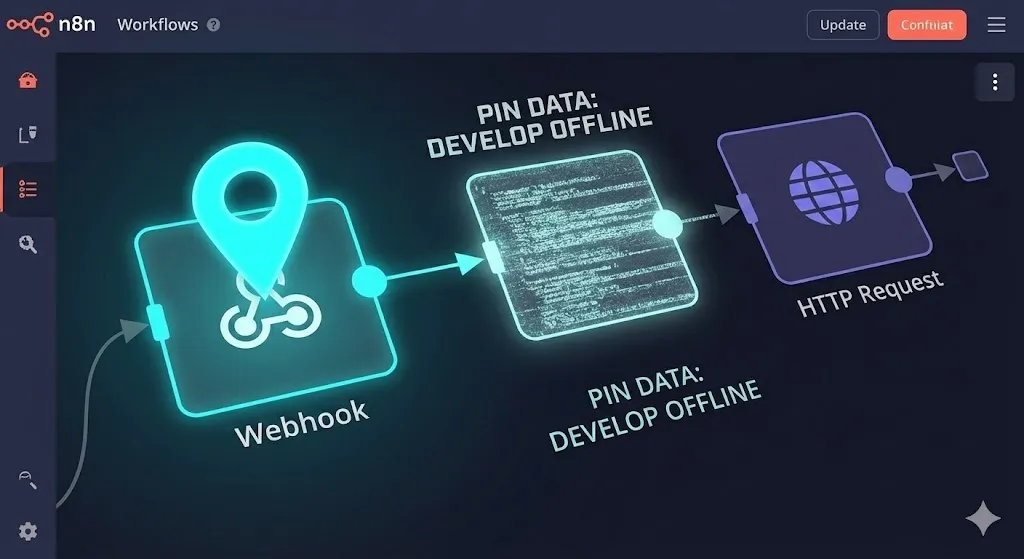
The Fix: “Pin Data”
n8n allows you to “Freeze” time.
- Run your trigger once to get real data (e.g., one form submission).
- Hover over the Output panel of the trigger node.
- Click the “Pin Data” icon (📌).
What just happened?
n8n has cached that specific JSON response inside the node.
Now, you can execute the rest of your workflow 1,000 times. You can change the Google Sheets node, add logic, and test the HTTP request. Every time you click “Execute Node,” it uses the Pinned Data instantly.
Pro Tip: You can even edit the Pinned Data manually.
Need to test what happens if a user submits an invalid email?
- Click the Pinned Data (JSON view).
- Change
"email": "test@gmail.com"to"email": "invalid-email". - Run the workflow to test your Error Handler.
This is how you debug edge cases without needing a real user to make a mistake.
Phase 3: The “JSON Teleport” (Copy-Paste Magic)
Here is a secret that separates the “forum dwellers” from the Agency Owners:
n8n nodes are just text.
If you select 5 nodes and press Ctrl+C, you haven’t just copied an image. You have copied a JSON string to your clipboard.
Why this changes everything
You can paste that text anywhere:
- Slack/Teams: Send a specific error-handling logic block to your junior developer. They copy the text, go to their n8n canvas, press
Ctrl+V, and the nodes appear instantly. - Notion/Obsidian: Build a “Snippet Library.”
- Do you set up “Gmail OAuth2” often? Build it once. Copy the nodes. Paste the JSON into a Notion page called “Gmail Auth Module.”
- Next time you need it, copy from Notion, paste into n8n.
- ChatGPT: Stuck on a Javascript Code node? Copy the node (Ctrl+C), paste it into ChatGPT, and say: “Fix the syntax error in this n8n node.” ChatGPT can read the JSON and give you the fixed node back.
The “Agency Snippet” Strategy
At my agency, we have a “Core Snippets” document containing:
- The Sentinel: Our standard Error Handler (from Day 17).
- The Cleaner: A specific regex pattern we use to clean phone numbers.
- The Logger: A structured logging format for Google Sheets.
We never build these from scratch. We teleport them.
Phase 4: Drag-and-Drop Variable Mapping
Typing variables manually is a recipe for disaster.
- Typing:
{{ $json.body["First Name"] }}-> Error (Case sensitive). - Typing:
{{ $json.body.firstName }}-> Error (Undefined).
One typo breaks your entire automation.
The “Drag” Trick
Most people know you can click variables in the side menu. But did you know you can drag them?
- Open the “Input Data” panel on the left side of any node.
- Find the exact variable you need (e.g.,
order_id). - Click and Drag that variable directly into the parameter field on the right.
Why is this better?
- Zero Typos: n8n generates the exact JSON path for you.
- Complex Paths: If the data is buried deep (e.g.,
$json.data.orders[0].items[3].price), typing it is a nightmare. Dragging it is instant.
Phase 5: Modularity (The “Execute Workflow” Node)
The biggest mistake I see in “Day 1” setups is the Spaghetti Monster.
This is a single workflow with 150 nodes, trying to do everything: Lead Gen -> Email -> CRM -> Slack -> SMS -> Invoice.
If one part breaks, the whole thing stops. And good luck scrolling through 150 nodes to find the bug.
The “Function” Approach
In programming, we don’t write 10,000 lines of code in one file. We write Functions.
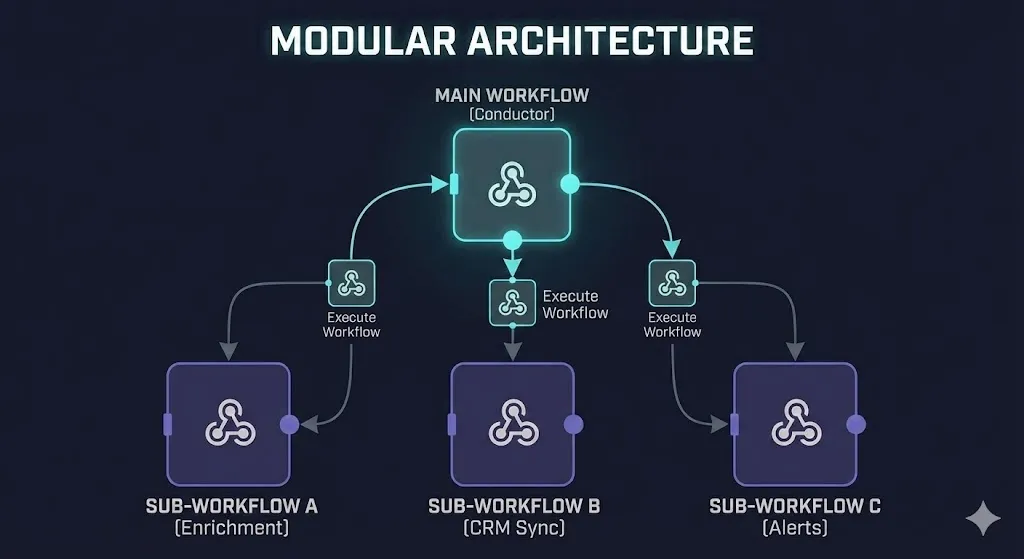
In n8n, you should use the “Execute Workflow” node.
How to structure it:
- Main Workflow: This is your “Conductor.” It listens for the webhook.
- Sub-Workflow A (Enrichment): Takes an email, returns company data.
- Sub-Workflow B (CRM Sync): Takes lead data, pushes to HubSpot.
- Sub-Workflow C (Alerts): Takes a message, sends it to Slack.
The Main Workflow simply calls: Execute A -> Execute B -> Execute C.
The Benefit:
- Reusability: You can call the “Slack Alert” sub-workflow from any automation in your company. Update the Slack channel ID in one place, and it updates everywhere.
- Testing: You can test the “CRM Sync” part in isolation without triggering the whole chain.
Phase 6: The “Expression Preview” Hack
When you are writing complex Javascript inside an Expression (e.g., manipulating dates or strings), you usually have to run the node to see if it works.
The Fix:
Look at the “Expression Result” text below the input field.
n8n evaluates expressions in real-time based on the input data.
- Example: You type
{{ $json.name.toUpperCase() }}. - Preview: Look below the box. If it says
ALFAZ, your code is correct. If it says[Object Object]orError, fix it before you run the node.
Use this combined with Pin Data to write perfect Javascript logic without ever hitting “Execute.”
Phase 7: Organization & Notes
An “Agency-Grade” workflow is not just code; it is documentation.
If you hand over a workflow to a client and it looks like a bowl of noodles, they won’t trust you.
The “Sticky Note” Standard
- Grouping: Use the mouse to select a group of related nodes (e.g., the “Google Sheets” section).
- Right Click -> Add Sticky Note.
- Color Coding:
- Green: Triggers & Inputs.
- Blue: Logic & Processing.
- Red: Error Handling (The Sentinel).
- Yellow: External API calls.
When a client logs in and sees a neatly organized, color-coded map, the perceived value of your work doubles. It looks like a System, not a hack.
Summary: The Speedrun Checklist
If you want to graduate from “Hobbyist” to “Automation Engineer,” here is your daily practice routine:
- Unplug the Mouse: Force yourself to use
Ctrl+D(Duplicate) and/(Search) for one hour a day. - Pin Everything: Never fill out a test form twice. Pin the data and build offline.
- Teleport Code: Start building your “Snippet Library” in Notion today. Save your most used nodes.
- Modularize: If a workflow has more than 20 nodes, break it into Sub-Workflows.
- Document: Add one Sticky Note to every workflow explaining what it does.
What’s Coming Next?
You now have the Strategy (Day 1-15), the Reliability (Day 17), the Security (Day 18), and the Speed (Day 19).
You are technically ready to run an agency. But there is one missing piece.
How do you charge for this?
Do you charge by the hour? By the workflow? By the node?
Most beginners get this wrong and trap themselves in low-paying maintenance work.
Tomorrow, in Day 20, we dive into ” The Pricing Models for Automation Agencies.” I will reveal exactly how I structure high-ticket retainers so you stop trading time for money.
About the Author:
Alfaz Mahmud Rizve is a RevOps Engineer and Automation Architect helping SaaS Founders and Agencies build “Reliability-First” revenue systems. He is the creator of the Agency-Grade Protocol, a framework for building self-healing, scalable automations on self-hosted infrastructure.
Follow the full journey: 30 Days of n8n & Automation